
Automation
Google Form Response Capture To n8n Webhook

Updated
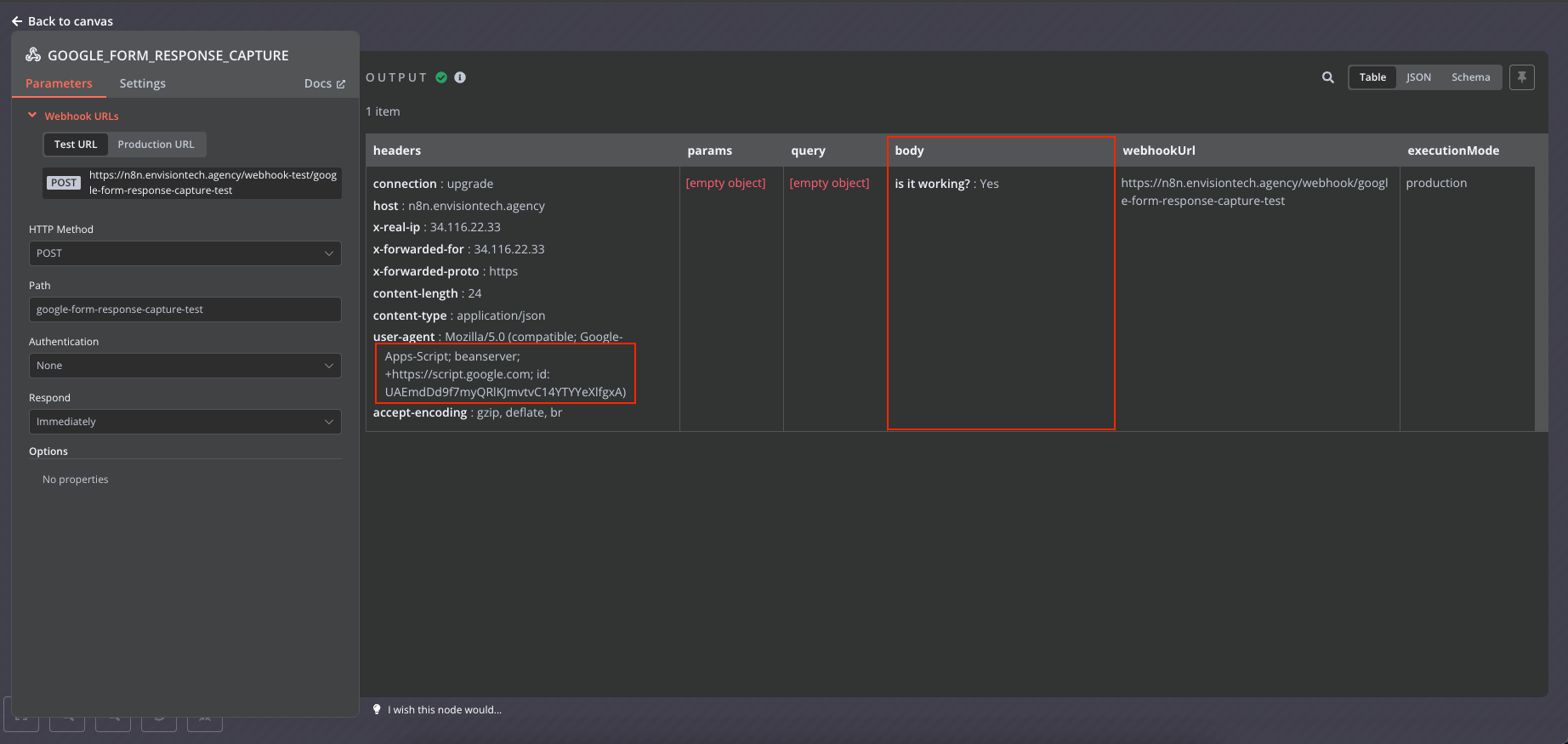
Setup the Google form to work with the n8n webhook trigger the automation on form submission.
Steps to add google form response capture with n8n
Step 1: Setup the n8n webhook
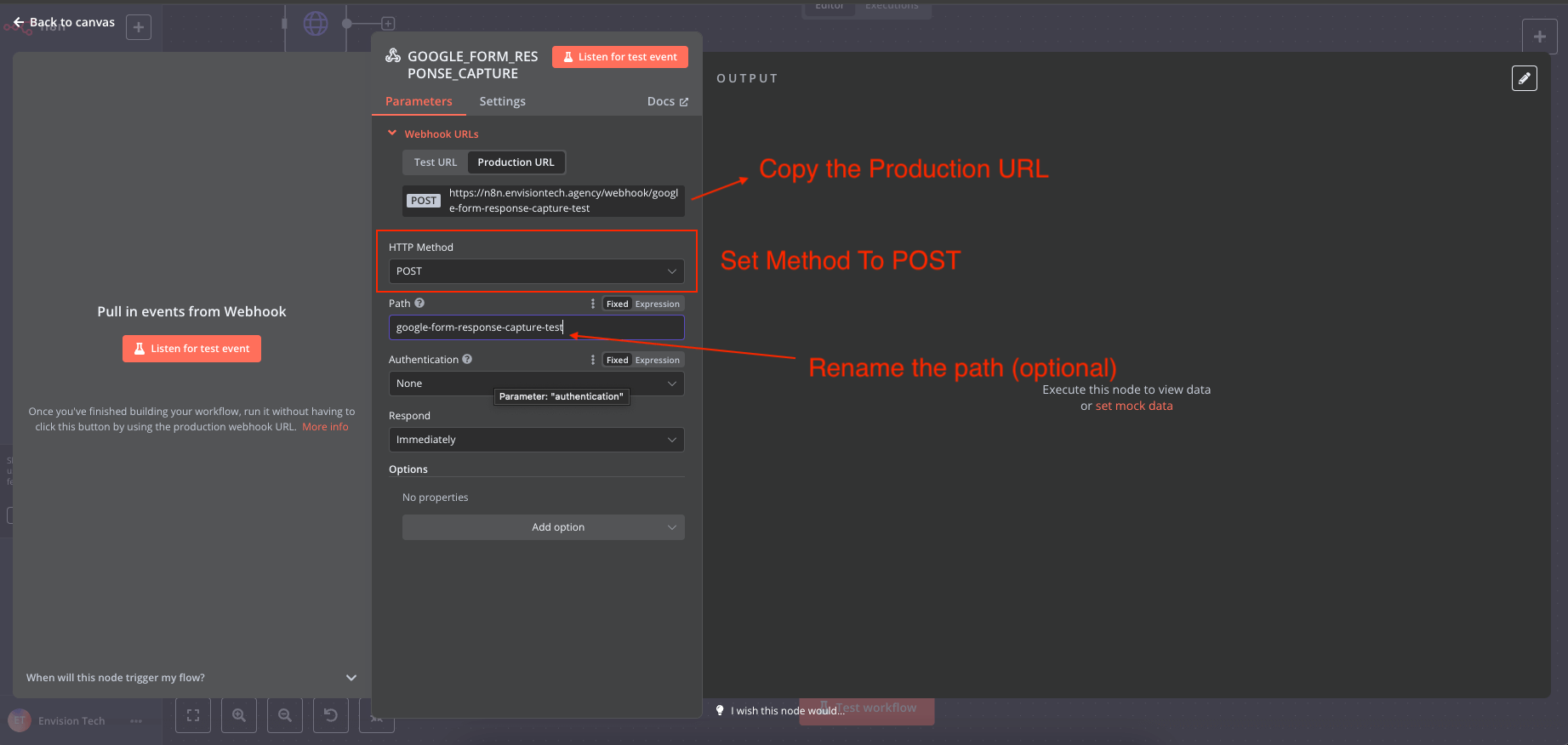
Step 2: Setup the App Script
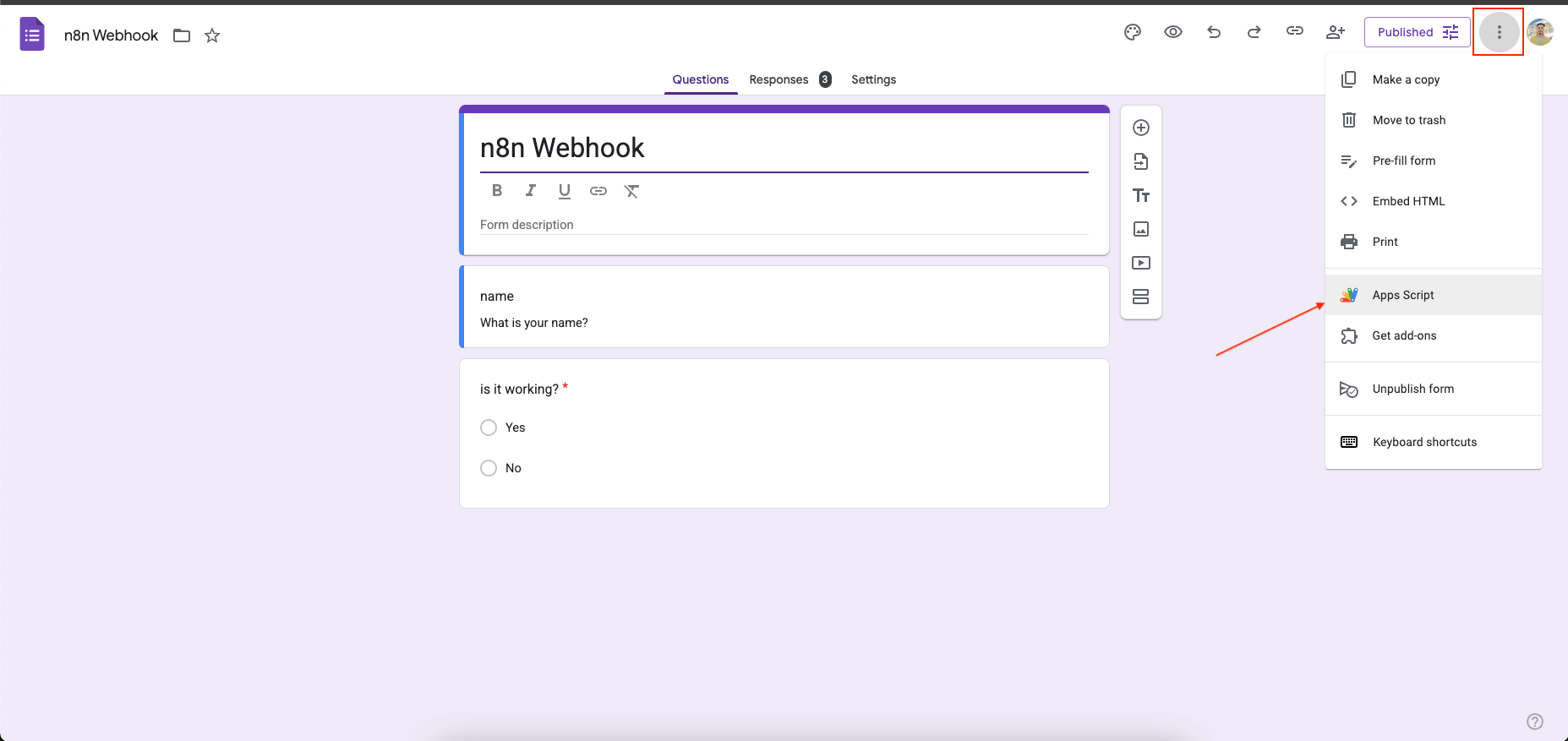
Create the google form and click on "App Script" from 3 dots on top right corner
Google Form Response Capture Script
Paste the snippet in code block
Change the POST_URL to your n8n webhook
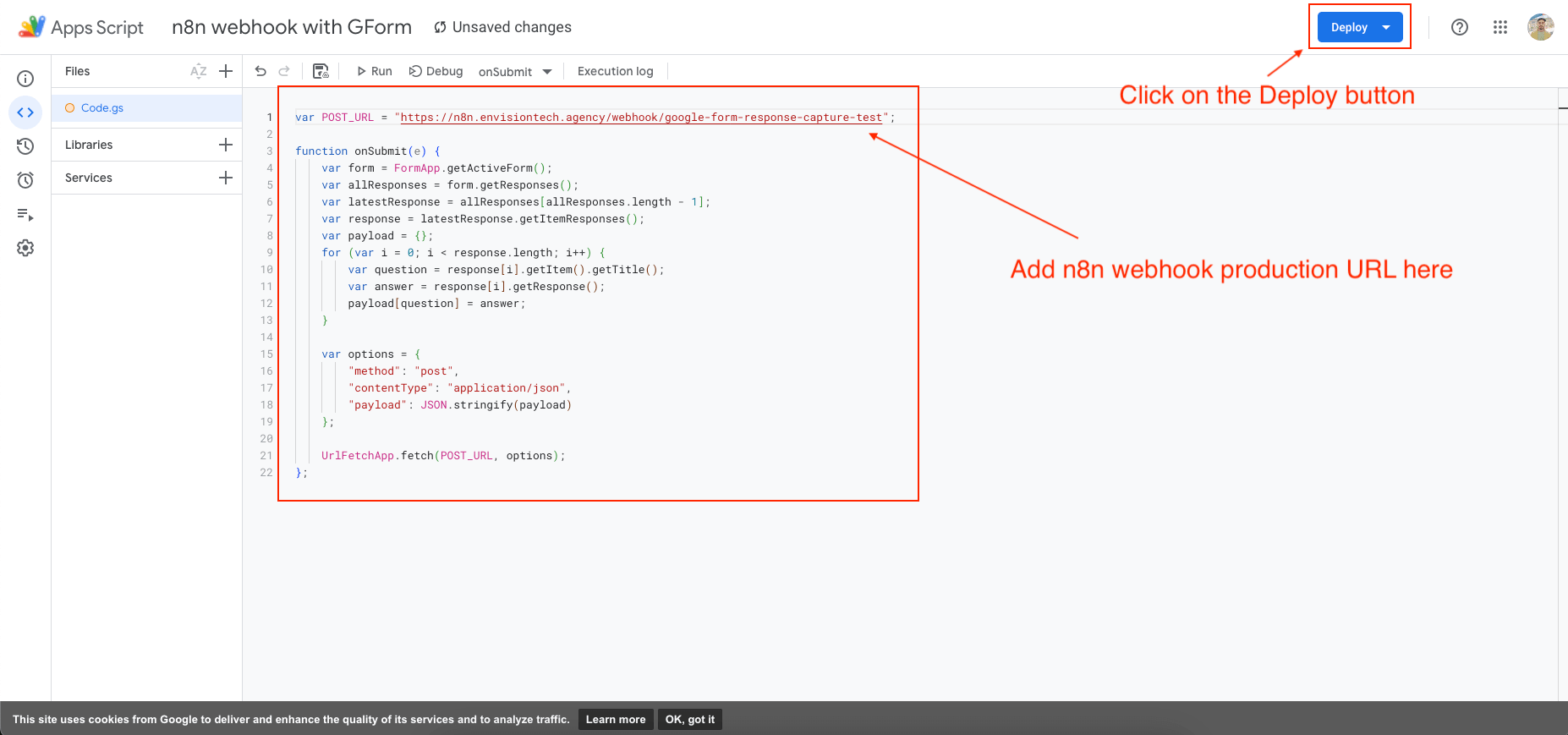
Step 3. Deploy the the script - Web App
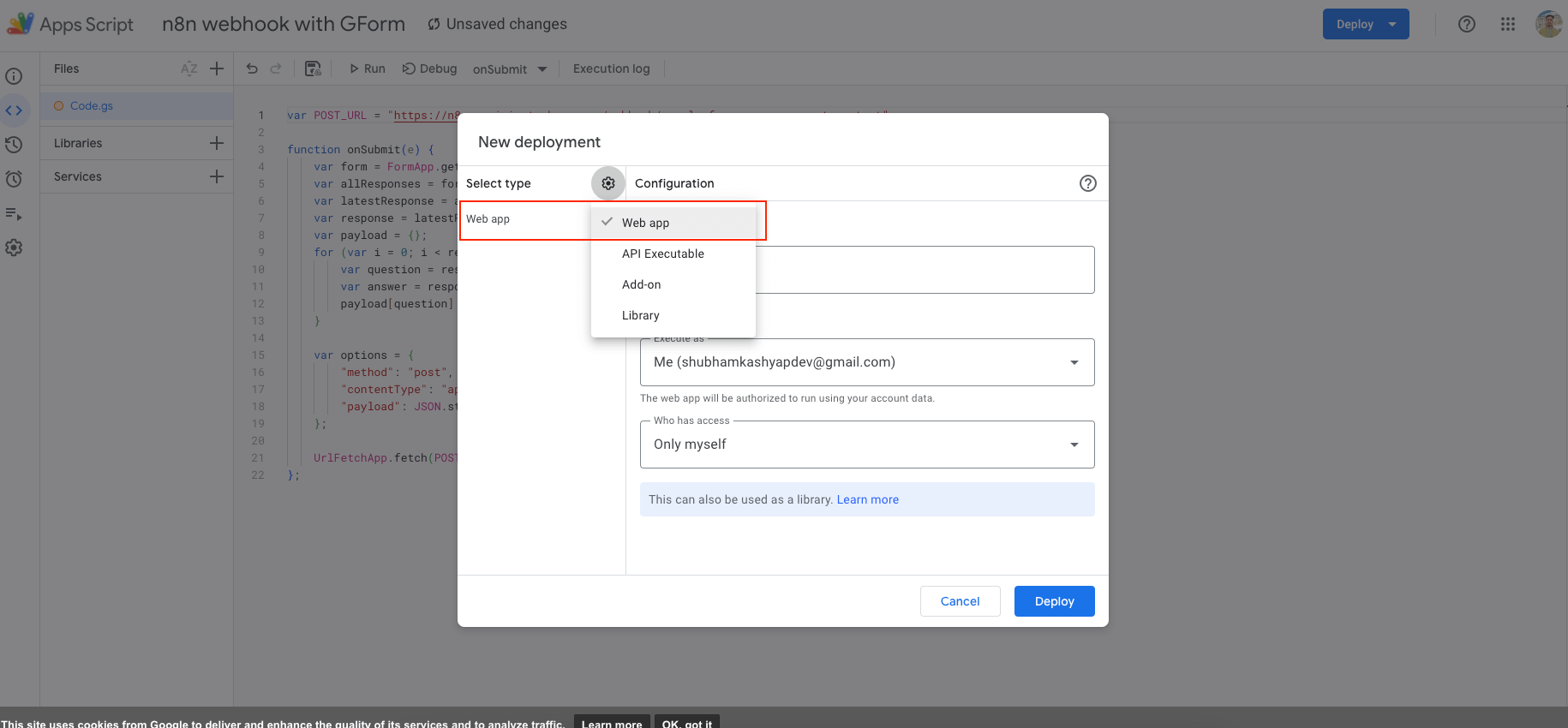
After deployed, click on "Authorize .." and select you gmail account to authorize with, if a warning is shown proceed unsafe and complete the authorization. After its completed click "done".
Step 4. Now we need to configure the trigger.
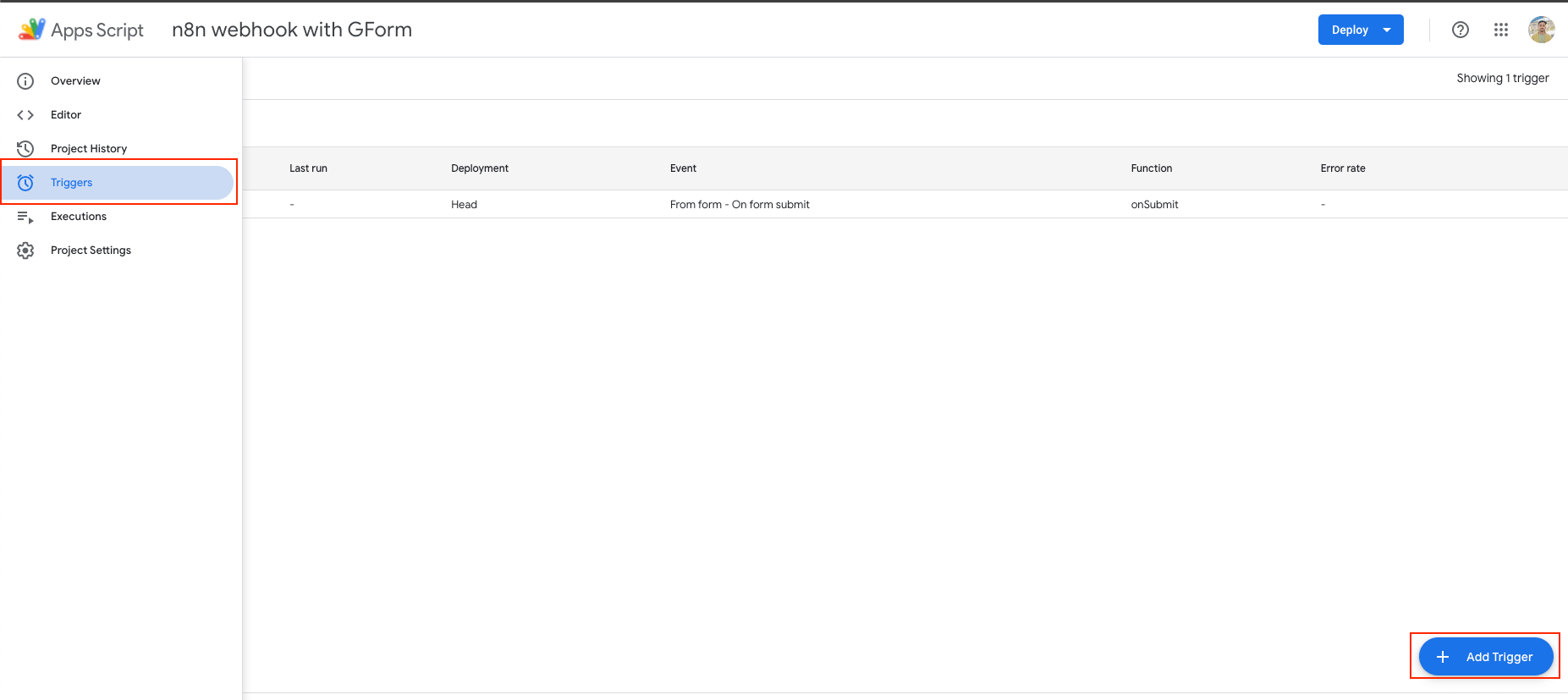
- Click on "Triggers" from the left sidebar
- Click on "Add new Trigger" button
- From the form, at the bottom for select event type field, change "On Open" to "On Submit"
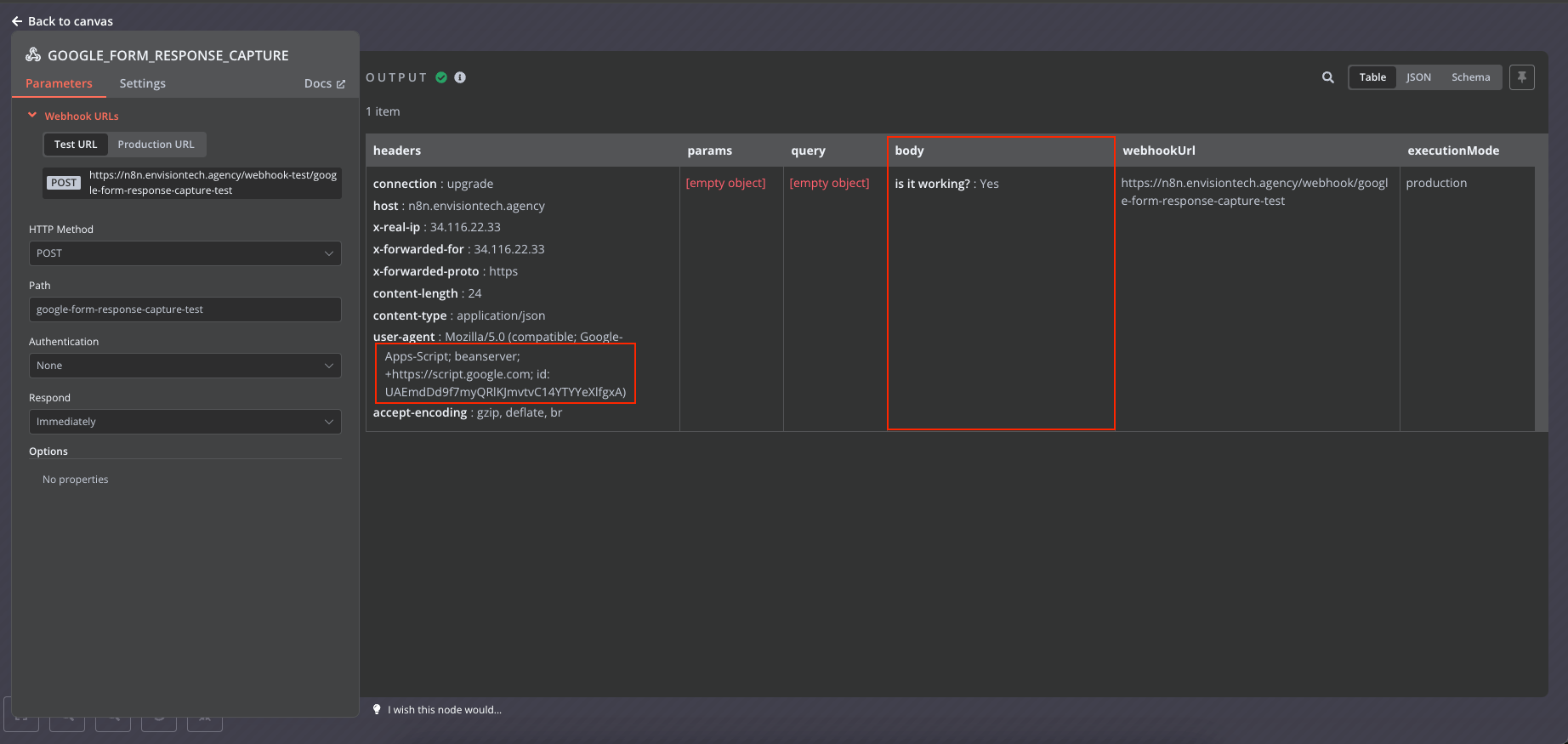
Everything is now configured, now the form submissions will be captured by the n8n webhook
AI-native business systems
Bring a niche, or bring a workflow.
If you run the business, we build the system around it. If you sell into a niche, we build the system behind your offer.
PolarBuild case study →You sell the niche. We build the system.
We never compete for your end clients. One partnership conversation. You fulfil the same system across the accounts in your niche.
Free POC before dedicated software
A three-day sales demo of the system for your vertical before any large software investment. Implementation starts only when someone in that niche pays.
Replicate the niche, not a one-off build
UK dental becomes US dental with a new local partner and new integration targets. Same system thesis, new market.