
Production Teardowns
Auto-Rotating n8n SSL With Certbot: Renewal Failure Fix

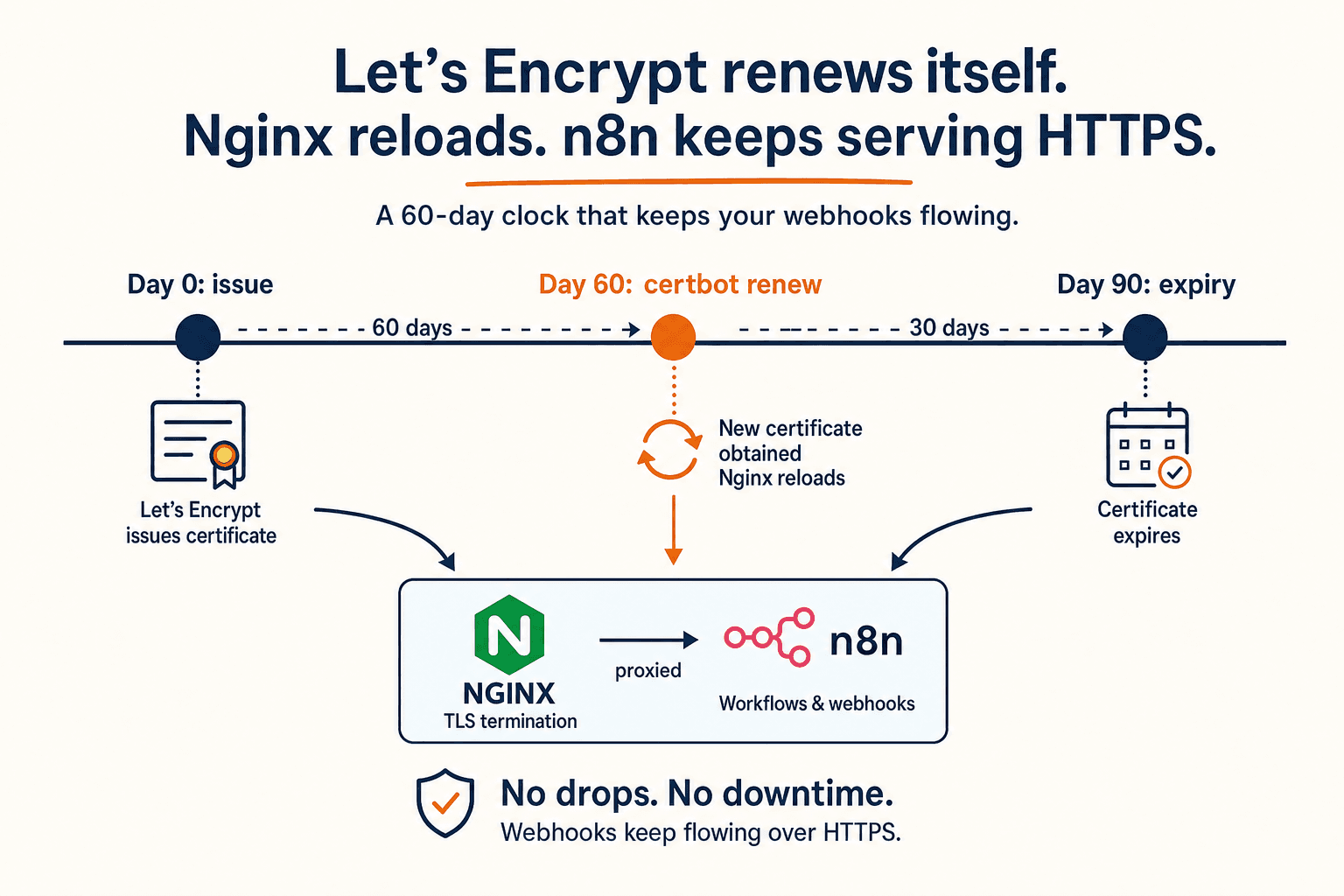
Set up Let's Encrypt auto-renewal for self-hosted n8n with Certbot, then diagnose the three failure modes that silently break SSL.
Why this post exists at all
When n8n's SSL cert quietly fails to renew, the symptoms are not subtle and not loud. The editor still loads on your laptop because Chrome cached the cert. Inbound webhooks from Twilio, WhatsApp, and Google Forms start returning SSL handshake failure and disappear into vendor retry queues. Your queue depth balloons, your CRM updates stop arriving, and the first hint usually comes a day later when a customer asks why their booking confirmation never showed up.
The fix is mostly already on the host. Certbot installs a systemd timer that tries to renew every Let's Encrypt cert under /etc/letsencrypt/live/ twice a day. The trick is making sure that timer can actually finish the renewal, and that Nginx picks up the new cert without you typing anything. This post is the playbook I run on every n8n VPS that handles real customer traffic.
It assumes you have the baseline from the n8n on Docker, Nginx, Let's Encrypt walkthrough already in place. If you have not done that, do that first.
How the renewal actually works
Three moving parts. Knowing where each one lives is most of the debugging.
| Layer | Where it runs | What it does |
|---|---|---|
| `certbot.timer` | systemd on the host | Wakes Certbot twice a day to check every cert |
| `certbot renew` | the host shell | For each cert under 30 days from expiry, runs the original auth method (HTTP-01 by default) and rewrites the live cert symlinks |
| Nginx reload | the host | Picks up the new cert file. Without this step the running Nginx process keeps serving the old cert until you reload it |
The default Certbot install gives you parts one and two for free. Part three is the one tutorials forget. We will wire it explicitly with a deploy hook so you do not need to remember.
Confirm the timer is alive
Before you fix anything, confirm what the host actually has. On a 2025-2026 era Ubuntu install, Certbot from the official apt package writes a systemd timer, not a cron job.
You want to see certbot.timer listed and Active: active (waiting). If you see a cron entry under /etc/cron.d/certbot instead, you installed Certbot through a different channel (likely snap or an older apt). That works too; the rest of this post still applies. Either way, the renewal is automatic by default.
Now sanity-check the renewal logic without actually renewing:
A healthy host prints Congratulations, all simulated renewals succeeded. If you get an error, jump straight to the failure-mode section below. Most of this post is about decoding the dry-run output.
Wire up the Nginx reload hook
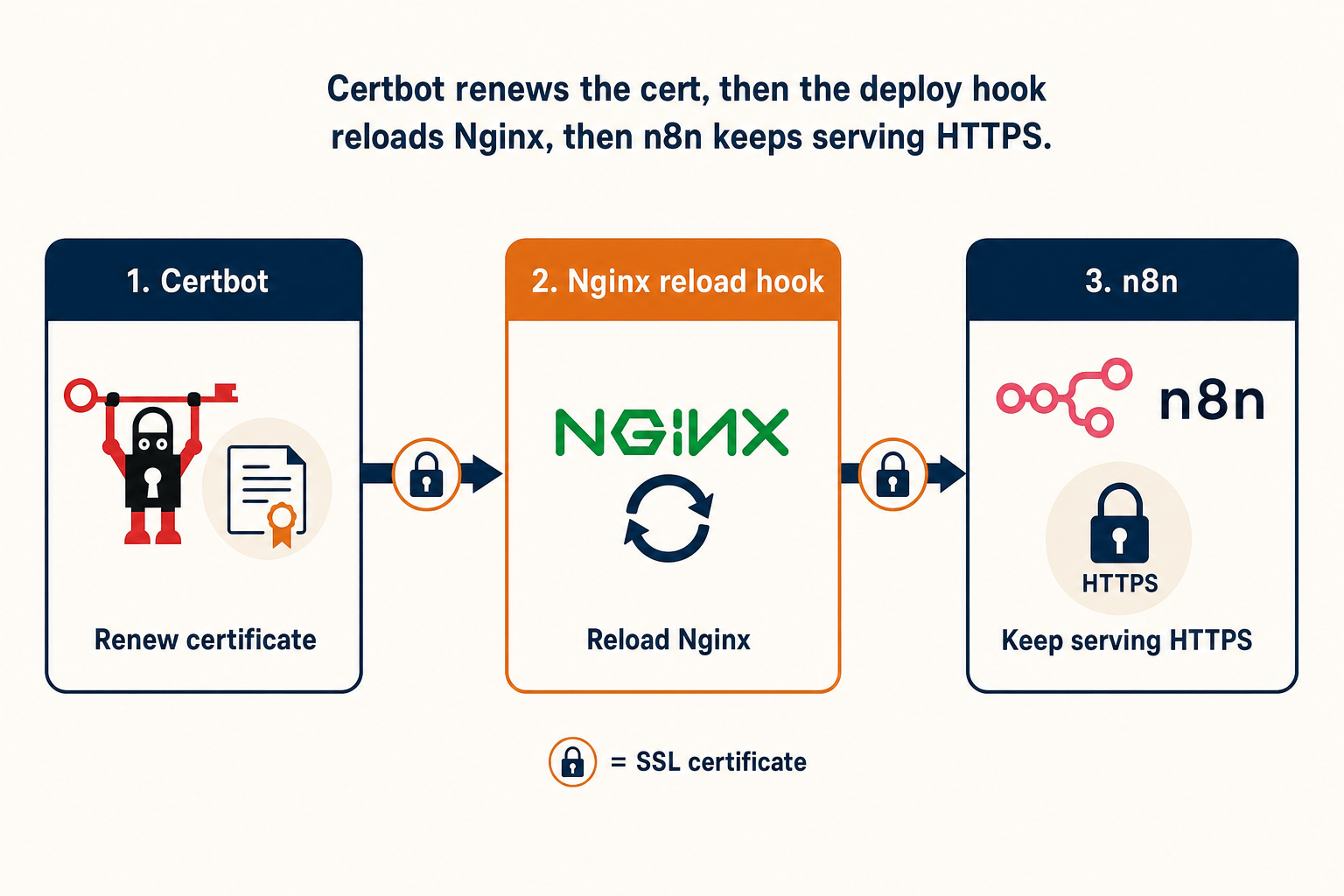
Out of the box, Certbot will renew the cert files in /etc/letsencrypt/live/n8n.yourdomain.com/ but Nginx will not reload, so it keeps serving the old cert in memory until the next manual reload or reboot. The cleanest fix is a deploy hook that reloads Nginx every time any cert renews on this host.
The hook runs only after a successful renewal, runs nginx -t first so a broken config does not take down the proxy, and then issues a graceful reload that does not interrupt any in-flight webhook executions. From this point forward, every renewal across every domain on the host triggers exactly one nginx reload.
Verify the hook is wired up:
In the output you should see a line like Running deploy-hook command: /etc/letsencrypt/renewal-hooks/deploy/reload-nginx.sh. If you do not, the file is in the wrong directory or is not executable.
Failure mode one: port 80 is closed
Certbot's default authentication method is HTTP-01. It tells Let's Encrypt to fetch http://n8n.yourdomain.com/.well-known/acme-challenge/<token>. If port 80 is blocked at the firewall, the cloud provider's network policy, or the Nginx config, Let's Encrypt cannot read the token and the renewal fails with Connection refused or Timeout during connect.
How to confirm:
You want UFW to allow 80, Nginx to be listening on 80, and the curl to return HTTP/1.1 301 Moved Permanently (because we redirected HTTP to HTTPS in the original setup).
How to fix:
- If UFW blocks 80, run
sudo ufw allow 80/tcp. - If your cloud provider's network firewall blocks 80, open it in the cloud console. AWS Security Groups and Hetzner Cloud Firewalls are the usual suspects.
- If the Nginx site only listens on 443, add a
server { listen 80; ... }block whose only job is to serve the ACME challenge path and 301 everything else to HTTPS. The original walkthrough's Nginx config already does this when you let Certbot's nginx plugin set it up; if you wrote your own, copy that shape.
One quietly common variant: your cloud provider migrated the host to IPv6 and your A record is still pointing at the old IPv4 address. The fix is to also add an AAAA record and to make sure UFW allows 80 on tcp6 as well as tcp.
Failure mode two: stale renewal config
When you change the domain on a cert (say you migrate from n8n.olddomain.com to n8n.newdomain.com), Certbot keeps the old renewal config at /etc/letsencrypt/renewal/n8n.olddomain.com.conf and silently fails it twice a day forever. The renewal output shows a sea of red while the actual cert you care about renews fine.
How to confirm:
certbot certificates lists every cert currently installed. Anything in /etc/letsencrypt/renewal/ that does not appear in certbot certificates is a ghost.
How to fix:
This removes the renewal config and the archive directory cleanly. It does not touch the cert you actually use today. Re-run sudo certbot renew --dry-run; the red should be gone.
Failure mode three: rate limit hit during testing
Let's Encrypt enforces hard rate limits documented at the rate-limit page. The two that bite during setup are "Certificates per Registered Domain" (50 per week) and "Duplicate Certificate" (5 per week for the exact same set of names). If you ran certbot --nginx ... repeatedly while debugging, you can lock yourself out of issuance for the rest of the week.
How to confirm:
The dry-run will say something like too many certificates already issued for: yourdomain.com: see https://letsencrypt.org/docs/rate-limits/. The dry-run hits the staging server by default, so this only blocks you when you re-ran the real certbot --nginx too many times, not when you re-ran the dry-run.
How to fix:
- Stop running
certbot --nginx ...against the production endpoint for the rest of the week. - Use the staging endpoint for any further testing:
sudo certbot --nginx --staging -d n8n.yourdomain.com. Staging issues fake certs that browsers reject but exercises the entire issuance pipeline. - After the rate-limit window resets, run the real command once to replace the staging cert.
If you are about to do destructive testing, set this rule before you start: every command involving Certbot against the production endpoint runs at most once.
A health check that runs daily
If you are running this in production, you want a heartbeat that yells before a cert expires, not after. The smallest version is a daily systemd timer that prints days-until-expiry to the journal and exits non-zero if the cert has less than 14 days left.
Wire it into a daily systemd timer:
Now you can wire a journal-tailing alert into Slack, Telegram, or whatever your team uses. If you already run the Telegram-driven Cursor Agent bridge, this is a one-line cron-to-DM relay.
When to consider DNS-01 instead
HTTP-01 is the right default. If your n8n host happens to live behind a setup where port 80 is genuinely hard to keep open (corporate firewall, multi-region CDN, IPv6-only network), switch to the DNS-01 challenge. DNS-01 proves domain control by writing a TXT record, so it works regardless of inbound HTTP availability and is the only way to issue wildcard certs.
The trade-off is that your renewal job needs DNS API credentials. Certbot ships plugins for Cloudflare, Route 53, and a long list of others. The mental model is the same: install the plugin, hand it a token scoped to one zone, point Certbot at it with --dns-cloudflare-credentials.
Most n8n hosts do not need this. If you are not sure whether you need it, you do not need it.
The bottom line
A Certbot install plus a one-file deploy hook is the smallest setup that keeps a self-hosted n8n on a current Let's Encrypt cert without you remembering anything. The expensive failure mode is not the renewal itself; it is forgetting to reload Nginx after the renewal.
- Trust the default
certbot.timer. Verify it withsystemctl list-timers | grep certbot. - Drop a one-line
reload-nginx.shdeploy hook so a renewed cert actually reaches the running Nginx process. - When
certbot renew --dry-runfails, the cause is almost always port 80 closed, a stale renewal config, or a rate limit hit during testing. - Add a daily expiry-day check and route the output to wherever your team reads alerts.
- Switch to DNS-01 only if port 80 is genuinely off the table or you need a wildcard.
If you want this entire stack pre-wired into a service-business inbound system, with the SSL plumbing, webhook auth, and renewal alarms already installed and pointed at your CRM, we run a free 7-day pilot where we ship you a working n8n host and the workflows around it.
AI-native business systems
Bring a niche, or bring a workflow.
If you run the business, we build the system around it. If you sell into a niche, we build the system behind your offer.
PolarBuild case study →You sell the niche. We build the system.
We never compete for your end clients. One partnership conversation. You fulfil the same system across the accounts in your niche.
Free POC before dedicated software
A three-day sales demo of the system for your vertical before any large software investment. Implementation starts only when someone in that niche pays.
Replicate the niche, not a one-off build
UK dental becomes US dental with a new local partner and new integration targets. Same system thesis, new market.