
Inbound Lead Management
How to Automate Demo Booking from Instagram and WhatsApp

Updated
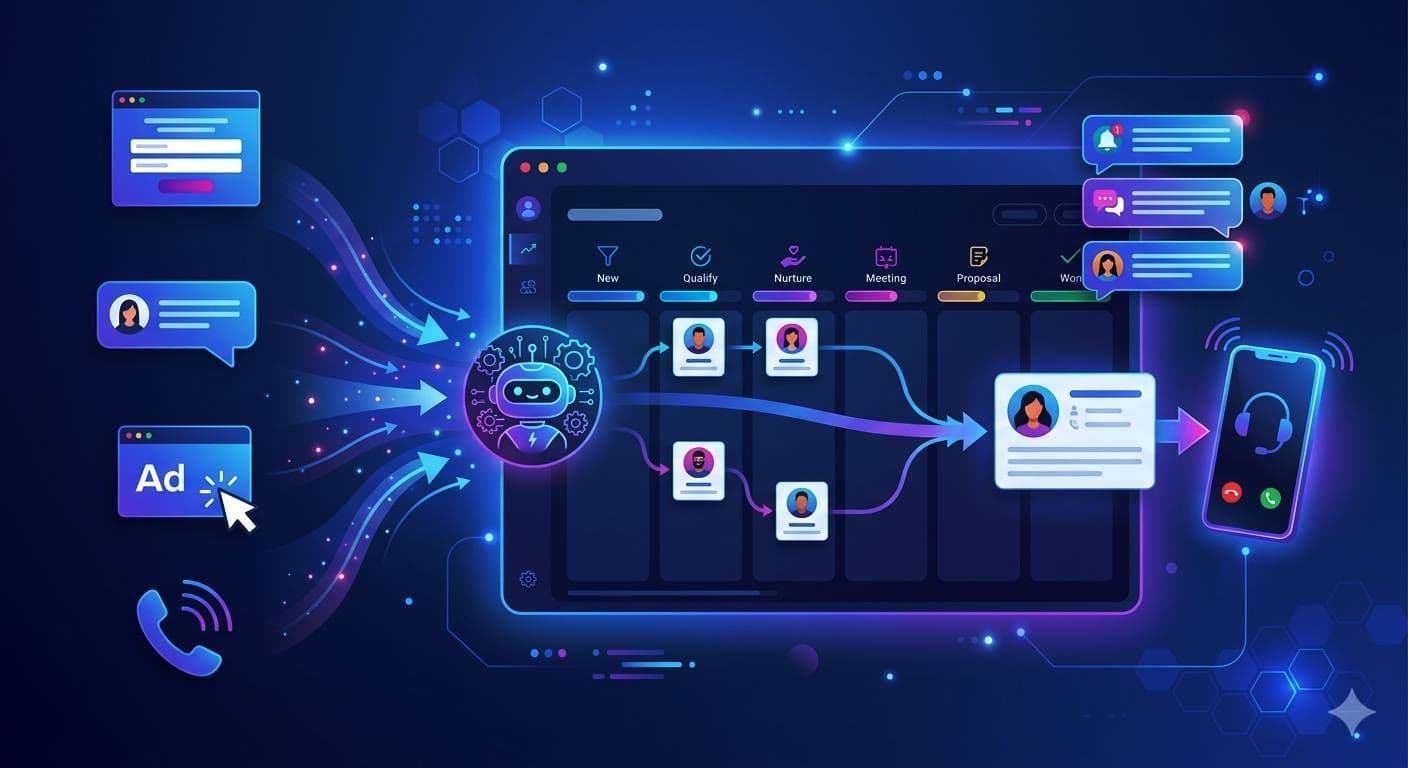
Automate demo and discovery-call booking from inbound DMs. Here is the qualification ruleset and Cal.com handoff pattern that actually books calendars.
What "automating demo booking" actually means
"Automate demo booking" gets used to mean two different things and the distinction matters.
The thin version (most marketing automation tools): When a lead fills a form, auto-send a calendar link. The prospect either books or does not. There is no qualification before the link.
The right version (what we build): When a prospect's conversation hits a qualifying threshold, auto-send a one-tap calendar link inside the same conversation, pre-filtered to the right closer's calendar, with the qualifying fields pre-populated as booking metadata.
The first version converts at the rate of a cold link send (low). The second converts at the rate of a warm referral (high). Same automation budget, very different result.
The architecture
The full pattern has four parts.
Part 1: Qualifying threshold
The system does not send a booking link until the conversation has enough context. For an event company, "enough context" usually means:
For a SaaS demo, "enough context" looks different:
The ruleset is what makes the auto-booking useful instead of annoying. Sending a calendar link to a prospect who has not yet shared whether they have a budget is how you fill your closer's calendar with junk.
Part 2: One-tap calendar link with prefill
When the threshold clears, the system sends a single message inside the conversation:
Got it, Priya. I have an event lead who handles Dec 12 outdoor mandap setups available tomorrow 11am or Friday 3pm. Tap to confirm: cal.com/fusionsync/event-lead?guest_name=Priya&event_date=2026-12-12
The Cal.com link carries the prospect's name, event date, headcount, and source as query params. When they tap, the booking form is mostly filled. They pick a slot, confirm, and the call is booked.
Cal.com supports query-param prefill on routing forms and event types, which is the cleanest way to do this. Calendly supports similar prefill via URL parameters, so either tool works. The pattern is the same.
Part 3: Routing to the right closer
Different deals need different closers. The system routes the booking link to the closer's specific event type, not a generic team link, based on the qualifying fields:
| Conversation signal | Closer event type |
|---|---|
| Wedding, 200+ guests, outdoor mandap | senior-wedding-lead |
| Corporate offsite, MICE | corporate-events-lead |
| Birthday or smaller social events | junior-events-lead |
| Out-of-region (specific city list) | regional-partner-lead |
For SaaS:
| Conversation signal | Closer event type |
|---|---|
| Enterprise, decision maker | senior-ae |
| Mid-market, evaluator role | account-executive |
| SMB, end user | sdr-call |
This routing happens server-side before the calendar link is sent. The prospect sees one calendar with the right closer's availability.
Part 4: Booking writeback
When the prospect books, Cal.com (or Calendly) fires a webhook back to your server. The system writes the booking to the CRM as a new event:
- Lead stage advances from
closer-readytocall-booked - Booking time, attendee names, and event type written as CRM activity
- Source thread, qualifying fields, and conversation transcript linked from the booking record
- Closer is notified via Slack or their preferred channel
By the time the closer sees the booking, they have everything they need: the prospect's name, the qualifying fields, the source Reel or ad, and the conversation transcript. They prepare for a 5-minute call by reading 5 fields, not by interviewing.
Why "qualify before booking" beats "book then qualify"
The classic SaaS pattern is: send a calendar link to every form fill, then disqualify on the call. That worked when call volume was low. It does not work when your closer's calendar is the bottleneck.
For event companies the math is sharper. A senior event lead can handle maybe 6 to 8 discovery calls a week if they are also closing and running the business. Every junk call (wrong date, wrong size, wrong city) is a real, expensive opportunity cost. Filling that calendar with 80% qualifying calls instead of 30% is the entire point of the system.
| Pattern | Calendar fill rate | Calls per closer per week | Qualified call rate |
|---|---|---|---|
| Send link on form fill | 100% | 12 | 30% |
| Send link on qualifying threshold | 60% | 7 | 80% |
Lower calendar volume, more qualified calls, closer time spent on real deals. That is the trade.
The 24-hour WhatsApp window
If the prospect's conversation is on WhatsApp (most common for event companies in WhatsApp-primary markets), the 24-hour customer service window matters. Inside the window you can send free-form messages including a calendar link. Outside the window you have to use an approved WhatsApp Business template.
In practice this means:
- If qualification completes in the same session as the inbound (typical), the booking link goes out free-form inside the window. No template needed.
- If the conversation pauses overnight and resumes 36 hours later, the booking link has to be sent as an approved template.
We submit a "booking-link-utility" template per client up front so the second case is covered. The template carries the prospect's name and the calendar link as variables.
Common failure modes
Three failure modes we see when teams try to ship this without the qualifying threshold or the routing logic.
Failure 1: Wrong-fit calendar fill
Booking link goes to every inbound. The closer's calendar fills with prospects who do not match the ICP. The team's solution is usually to reduce link sends, which kills the automation. The right fix is the qualifying threshold.
Failure 2: Generic team link
Sending a link to a generic "team" calendar means whoever has open slots gets the call, regardless of fit. Senior closers handle junior leads, junior closers handle senior leads. The fix is routing by qualifying signal, server-side.
Failure 3: No-show without context
Closer opens their calendar, sees a 4 PM call, has no idea who it is or what they want. They show up cold. The fix is the booking writeback: lead, qualifying fields, transcript, source all linked to the booking record before the call happens.
Where this sits in the broader system
The auto-booking pattern is one component of the broader inbound operating system. It depends on the Instagram OS or the WhatsApp side of the pipeline for the qualifying conversation that comes before the calendar link.
You cannot ship auto-booking without the qualifier. The qualifier is what makes the booking link useful. Sending links without qualification is the thin version that does not work.
What this is not
- It is not "send a Cal.com link on form fill". That is the thin version.
- It is not a closer-replacement. The closer still runs the call. The system just makes sure the call is worth running.
- It is not a calendar tool. Cal.com or Calendly handles the calendar; the system handles when to send the link, to which calendar, with what prefill, and what to do after the booking.
FAQ
Does this work with Calendly? Yes. Calendly supports prefill via URL parameters and webhook-based booking events. The pattern is identical to Cal.com. We have built into both. Pick the tool your team already uses.
Can I use this if my closers run calls on Google Meet or Zoom? Yes. The booking tool (Cal.com or Calendly) creates the meeting link as part of the event type configuration. The system does not care which video tool you use.
What if the prospect does not book on the first link? The system follows up once in-thread ("Did the times not work? Here are two more options") and then moves the prospect into a nurture flow. Most prospects who book do so within 24 hours of receiving the link.
Do I have to pay for a separate booking tool? The patterns work on Cal.com's free tier and Calendly's paid tiers. Cost is rarely the deciding factor; integration depth is. We prefer Cal.com because of cleaner API access and self-hosting options.
Can I auto-reschedule no-shows? Yes. The system listens to the booking-tool webhook for no-shows and triggers a follow-up message offering a reschedule. Approved as a utility template for outside-the-window sends.
The bottom line
Demo booking should not require your closer to send a Cal.com link, wait, follow up, and chase. The right pattern is auto-booking from inside the inbound conversation: capture the lead, qualify in-thread, send a one-tap calendar link the moment the conversation hits closer-ready, and write the booked slot back to the CRM. Same booking volume, much higher qualified-call rate, and your closer prepares from a transcript instead of an interview.
- Auto-booking is "send a calendar link when the conversation is qualified", not "send a calendar link on form fill".
- The qualifying threshold is the part that makes it work. Define it explicitly per business.
- Route by qualifying signal to the right closer's event type, not a generic team link.
- Write the booking back to the CRM with the conversation transcript and qualifying fields linked. The closer prepares in 5 minutes.
- WhatsApp 24-hour window matters; submit a utility template for outside-window sends up front.
If your closer's calendar is full of unqualified calls and your inbound is leaking the qualified ones, the next step is a 7-day production pilot on one campaign. We install the qualifier, the booking handoff, and the writeback, you watch the calendar quality.
White-label tech partner
Your agency has the clients. I have the tech layer.
You don't need to build a technical team before you can take on technical work. Whether you're an established agency or just getting started, I can provide the technical layer behind your delivery, from building the system to getting it into production.
PolarBuild case study →You only sell once
We never compete for your end clients. One partnership conversation. You fulfil for every account in your base.
Free POC before big builds
A three-day sales demo on the proven stack before any large software investment. You pitch to your prospects or existing clients. Implementation starts only when someone pays.
Geography replication
UK dental becomes US dental with a new local partner and new integration targets. Same playbook, new market.