
Production Teardowns
Trigger n8n From Google Forms in 5 Minutes: Webhook Recipe

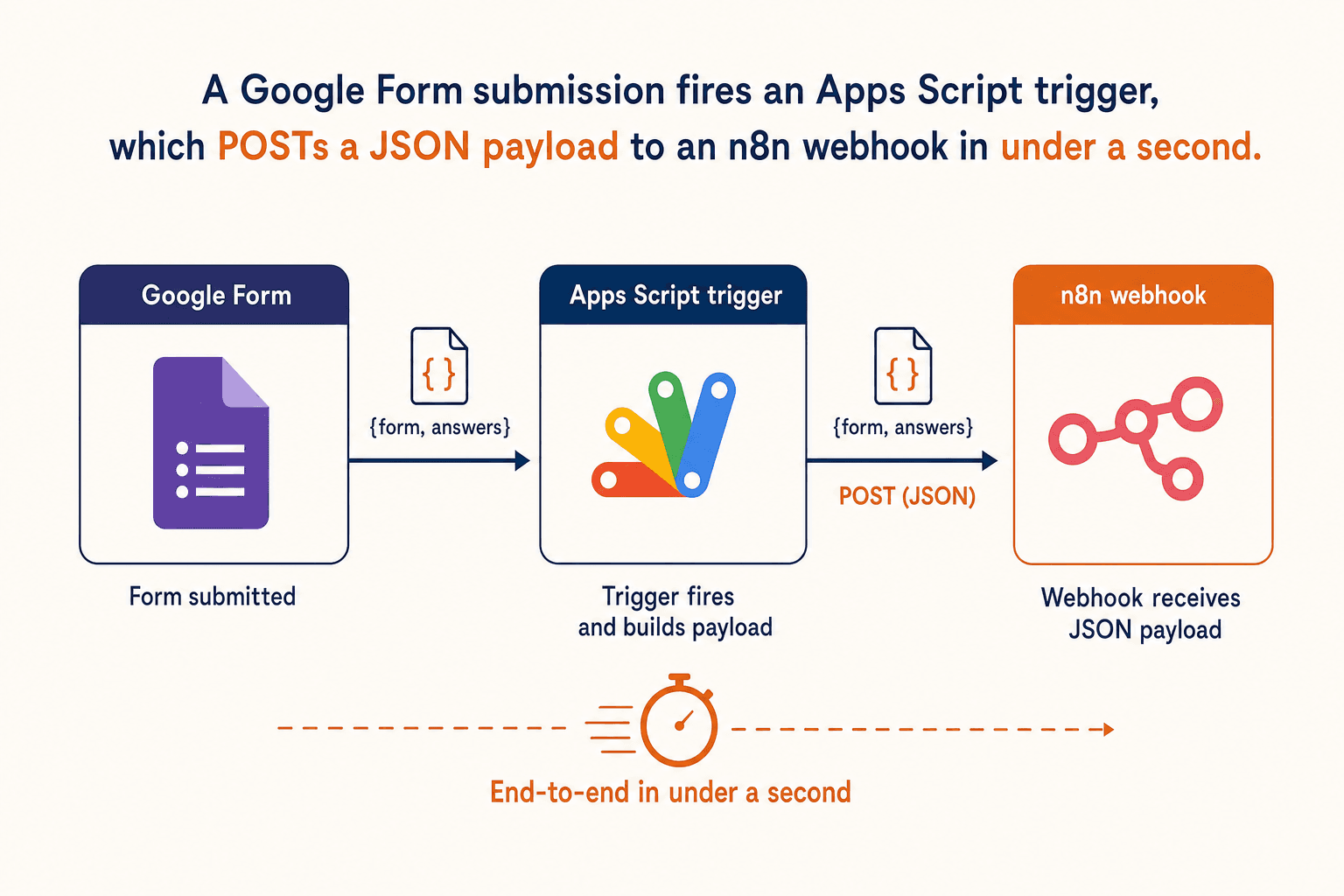
Send Google Forms responses to n8n in five minutes with an Apps Script webhook trigger. Pre-built payload, retry logic, and zero polling.
Why polling Google Forms is the wrong move
The first instinct for "connect Google Forms to n8n" is to set up a Google Sheets trigger on the linked response sheet and let n8n poll. It works. It is also one of the slowest, flakiest, and most rate-limit-prone shapes you can choose for lead capture.
Polling at one-minute intervals means a lead that submits the form at 09:00:01 does not reach n8n until 09:01:00. For the speed-to-lead window that actually wins inbound deals, a 59-second delay is the entire difference between picking up a call before the prospect tabs away and missing them forever.
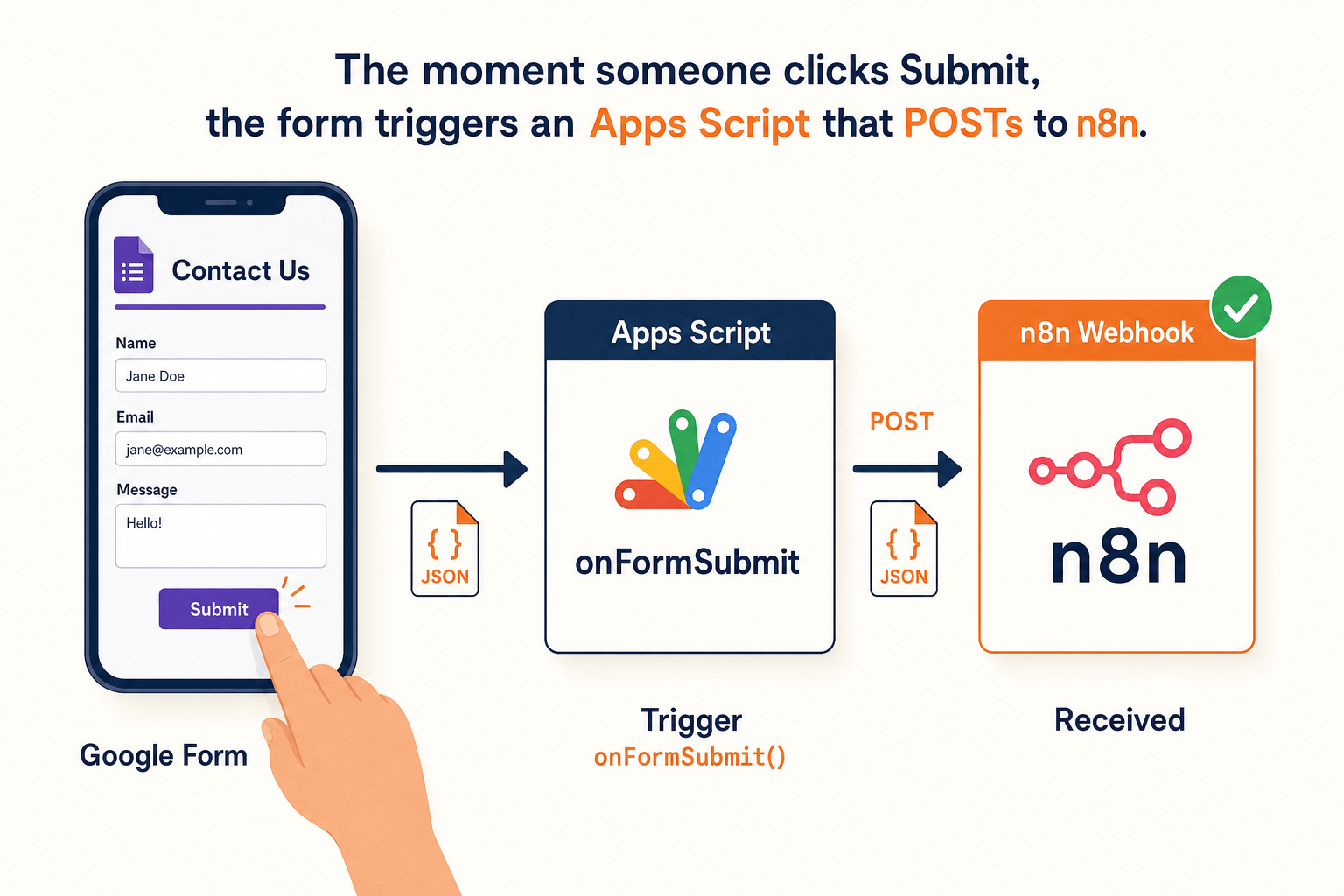
The right shape is an Apps Script trigger bound to the form's onFormSubmit event, which fires synchronously when the submit button is pressed. It builds a JSON payload, POSTs it to an n8n webhook, and exits. End-to-end latency is under a second. It needs no polling, no rate-limit budget, and no Google Sheet in between.
This is the same shape we use at FusionSync for the Google Forms response capture cluster, but tightened for the exact query stream we see in Search Console: people who want "google form webhook" or "n8n google forms trigger webhook" working in the next ten minutes.
What you will have at the end
A single Google Form that fires a real-time POST to your self-hosted n8n on every submission. The payload n8n receives looks like this:
The keys are stable across submissions, the answers are keyed by the question title for human readability, and rawItemResponses is included for cases where two questions share a title or you need item-level metadata.
What you need before you start
| Item | Notes |
|---|---|
| A Google account that owns the form | The Apps Script editor runs under this account. If the form is on Workspace, an admin may need to approve the script's outbound URL fetch. |
| An n8n instance reachable over HTTPS | Self-hosted is fine. See [the n8n + Docker + Nginx + Let's Encrypt walkthrough](/posts/n8n-docker-nginx-letsencrypt-https-2026) if you are starting from zero. |
| A shared secret string | Generate with `openssl rand -hex 32` on any laptop. You will paste it into both Apps Script and the n8n webhook node. |
Two things to decide before you build the trigger:
- Should the webhook be authenticated by a header? Yes. Always. The reasons are in the self-hosted n8n hardening guide; the short version is that an unauthenticated webhook is a vendor invitation to anyone who guesses the URL.
- Should you also save responses to a Google Sheet? Up to you. The Apps Script trigger fires whether or not the form is linked to a sheet. Use the sheet as your record of truth if you want; n8n's role is to act on the submission, not to store it.
Step one: create the n8n webhook
In n8n, create a new workflow. Add a Webhook trigger node. Configure it like this:
| Field | Value |
|---|---|
| HTTP Method | `POST` |
| Path | `google-form` (any URL-safe slug; this becomes part of the public URL) |
| Authentication | `Header Auth` |
| Response Mode | `Last Node` for testing, `Respond to Webhook` for production |
| Response Code | 200 |
Click Create New Credential next to Authentication. Set the header name to X-Agent-Token and the header value to the secret you generated. Save.
Below the Webhook node, add a Code node temporarily. Paste this minimal body so you can see the payload shape during testing:
Activate the workflow. Copy the production webhook URL. It will look like https://n8n.yourdomain.com/webhook/google-form.
If your n8n is brand new and you have not seen a webhook URL of this shape before, double-check that WEBHOOK_URL is set to your public HTTPS hostname in the n8n environment. If n8n hands out URLs containing localhost or the container's internal IP, fix that first; nothing downstream will work.
Step two: open the Apps Script editor
Open your Google Form in the browser. Click the three-dot menu in the top right, then Script editor. This opens a new Apps Script project bound to that form.
Apps Script projects bound to a form get a FormApp instance pre-wired to the parent form. That is the only thing that makes this shape simple; you do not need an OAuth dance to read the form's responses.
Delete the default myFunction stub and paste the script below.
Three notes on the script:
event.responseis the recommended way to access the new submission. Reading fromFormApp.getActiveForm().getResponses()would also work but is racier.muteHttpExceptions: trueis important. Without it, a 5xx from n8n during deploy throws an uncatchable exception and the trigger is marked failed. With it, we read the response code ourselves and decide what to do.- The retry loop handles the case where n8n is briefly unavailable (a deploy, a container restart). Three attempts at 0.5s, 1s, 1.5s back-offs cover most n8n restarts; longer outages still fail loudly in the Apps Script execution log.
Paste your real n8n webhook URL and the secret value into the constants at the top. Save the project. Name it Google Form to n8n.
Step three: install the trigger
Apps Script has two ways to install a trigger: from the script editor's UI and from code. The UI is reproducible enough for one form.
In the script editor, click the clock icon on the left ("Triggers"). Click "Add Trigger" in the bottom right. Fill it in:
| Field | Value |
|---|---|
| Choose function | `onFormSubmitTrigger` |
| Deployment | Head |
| Event source | From form |
| Event type | On form submit |
| Failure notification | Notify me immediately |
Click Save. The first time you save a trigger, Google will ask you to authorize the script's scopes. The scopes it needs are:
https://www.googleapis.com/auth/forms.currentonly(read the parent form and its responses)https://www.googleapis.com/auth/script.external_request(outboundUrlFetchApp.fetchcalls)https://www.googleapis.com/auth/script.send_mail(Google adds this by default for failure notifications)
Click through the consent screen. The trigger is now installed against your account, bound to this specific form.
Step four: submit one test response
Open the form's public link in an incognito window and submit one test entry. Within a few seconds:
- The Apps Script Triggers page shows the most recent run as "Completed".
- The n8n workflow's executions list shows a new successful execution.
- The Code node returns the JSON payload you saw at the top of this post.
If anything in that chain fails, the diagnostics are all close at hand:
| Symptom | Where to look | Likely cause |
|---|---|---|
| Apps Script trigger says "Failed" | Script editor → Executions tab | Wrong URL, wrong header value, or n8n returned a non-2xx |
| n8n executions list shows no new row | Webhook URL or header mismatch | Compare the constants in the script against the n8n credential |
| n8n shows a 401 in the execution | Header value mismatch | The script sends one value, the n8n credential expects another |
| Test submission returned no payload | `respondentEmail` is null | The form does not collect email addresses; either enable that setting or remove the field from the payload |
Step five: wire the rest of the workflow
Once the webhook is receiving real submissions, replace the temporary echo Code node with whatever your actual flow needs. A few shapes that work well from this trigger:
- Speed-to-lead routing: pass the
answersobject straight into a Twilio Voice node, dial the prospect within seconds, and only book a human handoff if the qualification call returns intent above a threshold. - CRM sync: map
answersinto a GoHighLevel contact create and tag the lead by which question they filled. - Notification fan-out: post to a Slack channel for sales, a Telegram channel for ops, and a Google Sheet for the analytics team in parallel. All from one trigger.
- Spam filtering: a small Code node that scores
answersagainst simple heuristics (no phone digits, generic email domain, obvious bot text) and short-circuits the rest of the workflow when it scores below a threshold.
Set the response of the Webhook to Respond to Webhook so the workflow can return a deliberate 200 or 400 to Apps Script. That lets you signal "we got this, do not retry" or "do retry" from the workflow side, instead of relying on Apps Script's blind retry loop.
Things to know before you ship this in production
A short field log. Each one bit me the first time.
- Apps Script scripts time out at six minutes per execution, including outbound
UrlFetchApptime. Your trigger should POST to n8n and return. Long workflows belong in n8n, not in Apps Script. The Apps Script quotas page is the canonical reference. - There is a daily
UrlFetchAppquota that is generous for consumer Google accounts (20,000/day) and even more generous on Workspace (100,000/day), but a public form that gets hit by a bot can chew through it. If you expect heavy traffic, put a reCAPTCHA on the form. - The trigger runs as you, not as the form submitter. Outbound network calls leave your IP, and Google's audit log records them under your user. Workspace admins can see this. If you do not want that, run a no-op trigger in Apps Script that fires a Pub/Sub message instead, and let your own backend forward it.
- Form changes do not invalidate the trigger. If you add or rename a question, the next submission still fires the same script. The
answersmap will gain or lose keys silently. Watch for downstream nodes that assume a question title exists. - Test the failure mode. Stop n8n for a minute and submit a test response. The retry loop should fire, fail three times, and log a message you can find in the Apps Script execution log. If you cannot find the log entry, your failure-notification email setting is wrong.
The bottom line
A bound Apps Script trigger with a single UrlFetchApp.fetch call is the smallest, fastest, and most reliable way to send Google Form responses into n8n. It is real-time, costs nothing, and is observable from two dashboards at once.
- Skip polling. Use
onFormSubmitTriggerfor sub-second latency. - Always authenticate the n8n webhook with a header secret. Do not rely on the URL being unguessable.
- Build the payload in Apps Script. Resist the urge to forward
eventraw; vendors love to change shapes under you. - Add a three-attempt retry with back-off. Google's built-in retry is too aggressive for n8n restarts.
- Diagnose from two dashboards: Apps Script Executions for the trigger side, n8n Executions for the receiver side.
If you want this trigger pre-wired into a closer-ready inbound system, with the form, the webhook, the CRM sync, and a voice callback already running on your domain, we run a free 7-day pilot that ships the entire stack. No fixed retainer, no API markup.
AI-native business systems
Bring a niche, or bring a workflow.
If you run the business, we build the system around it. If you sell into a niche, we build the system behind your offer.
PolarBuild case study →You sell the niche. We build the system.
We never compete for your end clients. One partnership conversation. You fulfil the same system across the accounts in your niche.
Free POC before dedicated software
A three-day sales demo of the system for your vertical before any large software investment. Implementation starts only when someone in that niche pays.
Replicate the niche, not a one-off build
UK dental becomes US dental with a new local partner and new integration targets. Same system thesis, new market.